Find the market
Search Google Maps by zip code, radius and trade — or paste websites you already have. Duplicates merge into one list.
Location · website · phone · reviews
ACQUISITION SOURCING
Search any territory on Google Maps, then let research read each company's website and tell you who owns it, how many people work there, and how many vans they run — with a link behind every answer.
Sign in with your email · bring your own keys · about $0.15 a company
Search Google Maps by zip code, radius and trade — or paste websites you already have. Duplicates merge into one list.
Location · website · phone · reviews
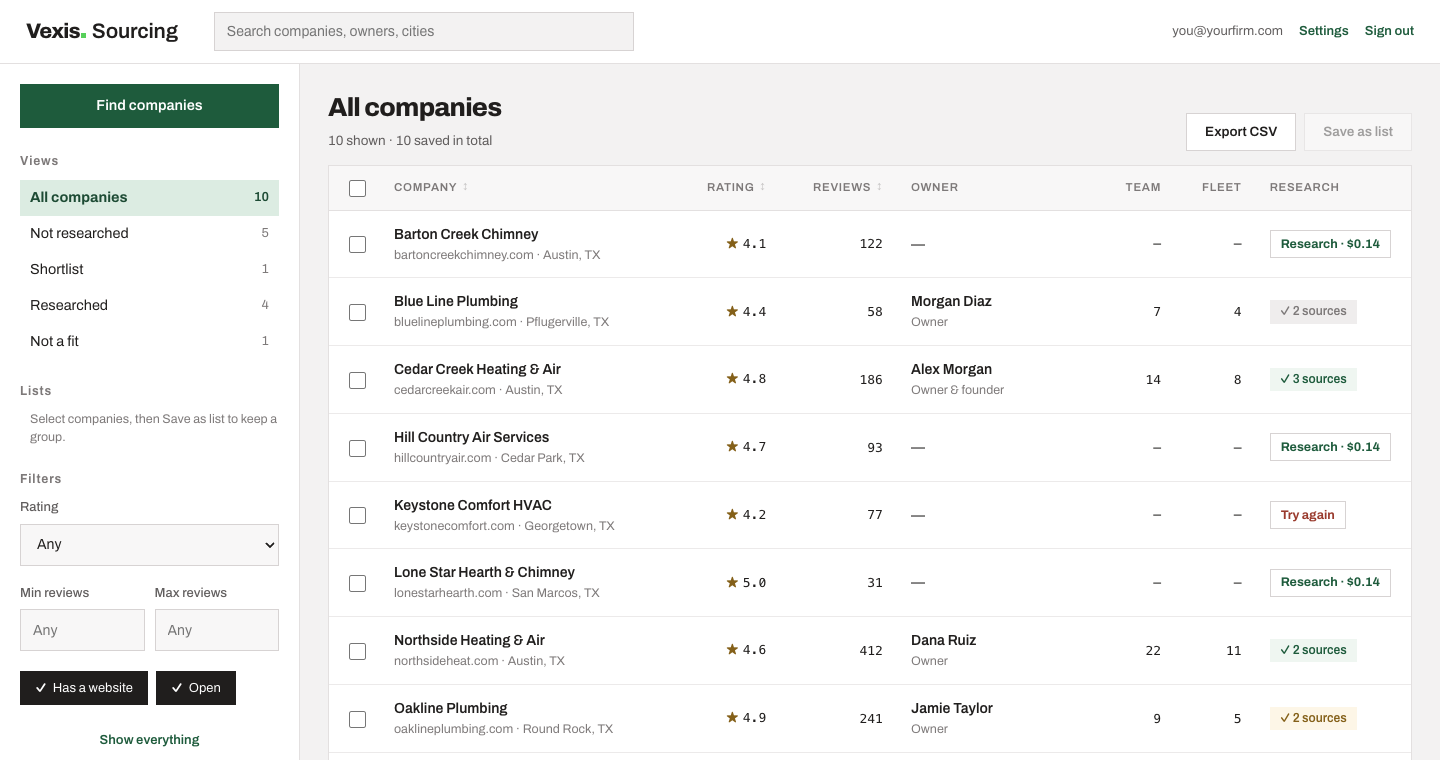
Filter on ratings and reviews, drop the closed ones, and shortlist the operators worth your time — before you spend anything on research.
Filtering costs nothing to run
Research reads each website and reports the owner, team size and fleet. Run as many as you like at once; the queue keeps going while you work.
Owner · team · fleet · sources
THE WHOLE THING IN 20 SECONDS
EVERY ANSWER, WITH A SOURCE
Open the page a finding came from. See the photo the headcount was taken from, and whether it was a posed team shot or a job-site snap. Every company carries a confidence rating you can argue with.
Vexis Sourcing runs on your own Google and Anthropic keys, so you see exactly what each search and each company costs — and you can stop at any point.
$0.04 per 20 companies found
Billed by Google Maps on your own key, which includes free usage every month. A 25-mile search of one trade usually costs a few cents.
~$0.15 per company
Billed by Anthropic on your own key. The cost is shown before you start and counted as it runs, so a batch never surprises you.
$0 no seats, no contract
Sign in with your email. Your keys stay in your browser, your companies stay in your account, and everything exports to a spreadsheet.
YOUR NEXT CONVERSATION STARTS HERE
Sign in with your email. No password to remember.
No companies yet. Use Find companies to search a territory, paste websites, or upload a CSV.
| Owner | Team | Fleet | Research |
|---|
Search Google Maps, or bring websites you already have.
Zip codes, separated by commas or new lines.
One per line, or separated by commas. Repeats are skipped.
Your keys stay in this browser. Google gets its key directly; the Anthropic and OpenRouter keys go with the request that needs them and are never stored.
Getting an Anthropic API key
sk-ant-, and the console only shows it once."That API key was rejected": the key was copied wrong or deleted. "Credit balance": add credits under Settings → Billing.
Cost: roughly $0.10–0.30 per company.
Used to research companies.
Getting a Google Maps API key
AIza."Rejected" or "expired": the key was copied wrong, deleted, or is minutes old. "Does not have permission": billing or Places API (New) isn't on in the key's project.
Cost: about $0.035 per page of up to 20 results.
Used to find companies. Sent straight to Google, never to our server.
Used by Screen, and as a stand-in for research if Anthropic is down or you have no Anthropic key. About $0.000025 a screen. Get one at openrouter.ai/keys. Leave it empty and everything else still works.
None yet.